PG: Hetemit
| ターゲット // Hetemit | |
|---|---|
| Platform | OffSec Proving Grounds |
| OS | Linux |
| Difficulty | Medium |
| IP | 192.168.149.117 |
Enumeration#
Nmap#
▶ Nmap output
PORT      STATE SERVICE     VERSION
21/tcp    open  ftp         vsftpd 3.0.3
22/tcp    open  ssh         OpenSSH 8.0 (protocol 2.0)
80/tcp    open  http        Apache httpd 2.4.37 ((centos))
139/tcp   open  netbios-ssn Samba smbd 4.6.2
445/tcp   open  netbios-ssn Samba smbd 4.6.2
50000/tcp open  http        Werkzeug httpd 1.0.1 (Python 3.6.8)
Six ports. FTP allows anonymous login but has nothing useful, port 80 is a stock Apache/CentOS test page, and SSH is a dead end. The two things worth chasing are SMB (for a username) and the Werkzeug dev server on 50000.
Port 139/445 - SMB#
crackmapexec enumerates the shares — nothing readable anonymously, but the share names leak a valid username:
| |
Share           Permissions     Remark
-----           -----------     ------
print$                          Printer Drivers
Cmeeks                          cmeeks Files
IPC$                            IPC Service
cmeeks — remember that.
Port 50000 - Werkzeug / Flask App#
The Python app on 50000 exposes a few endpoints. /console is locked (no PIN, no dice), but /verify is interesting: a GET returns {'code'}, hinting it wants a code parameter to evaluate.
Foothold#
Python Code Injection via /verify#
POSTing a code parameter to /verify runs it server-side. Two quick probes confirm the input lands straight in an eval():
| |
49*54 returning 2646 is the tell — arbitrary Python execution. Import subprocess and spawn a bash reverse shell; single-quote the whole --data value so your local shell leaves the >& and 0>&1 redirections intact:
| |
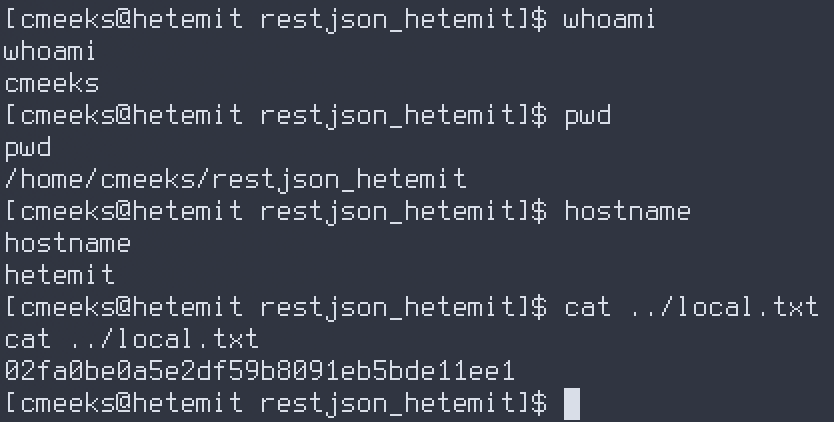
Catch it on the listener — shell as cmeeks, and the user flag is right there in the home directory:
Privilege Escalation#
Writable systemd Service + sudo reboot#
sudo -l shows cmeeks can run the reboot family as root, passwordless:
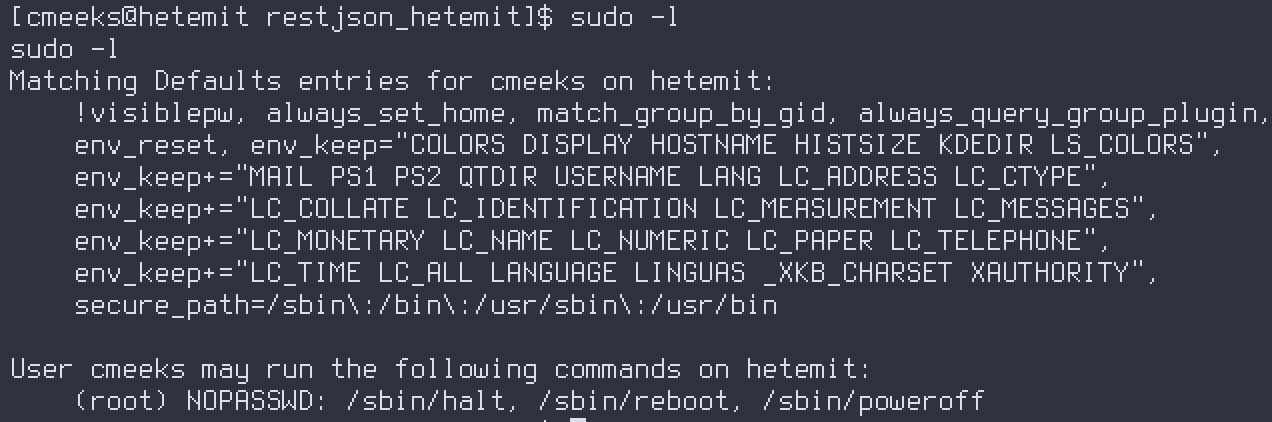
Rebooting alone isn’t root — but LinPEAS flags the real prize: /etc/systemd/system/pythonapp.service is world-writable. Chain the two: rewrite the unit to run a root reverse shell, then use the sudo reboot right to make systemd re-execute it on boot.
Rewrite ExecStart to a root shell and set User=root (a unit may only have one ExecStart, so replace the existing line, don’t append):
| |
The catch: this shell is unstable — no vi, no SSH, and a broken unit means the Python server never comes back and you’re stuck reverting. So write the file non-interactively. Push a small script that echoes the unit to stdout, redirect it into place, arm a listener, and reboot:
| |
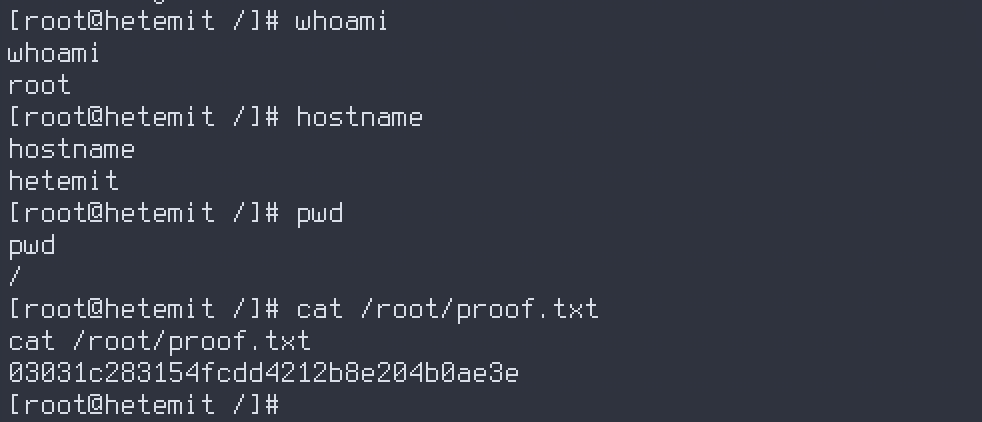
When the box comes back, systemd starts the tampered service as root and the reverse shell lands.
Proof#
Key Takeaways#
- Debug/eval endpoints on Werkzeug/Flask dev servers (
/console,/verify) are RCE by design — probe any parameter that echoes a computed result (49*54→2646proveseval). - Single-quote reverse-shell payloads that ride through a
--databody so your local shell doesn’t eat the>&,&, and0>&1before curl ever sends them. - A world-writable systemd unit is game over: rewrite
ExecStartwithUser=rootand force a restart. Here the NOPASSWDrebootright was the trigger that fired it. - On an unstable shell with no editor, build config files non-interactively (echo/printf into the target). One typo in a service unit and your only move is a box revert.